Graphic Design and Illustration.

Faded, Old Copper

patina

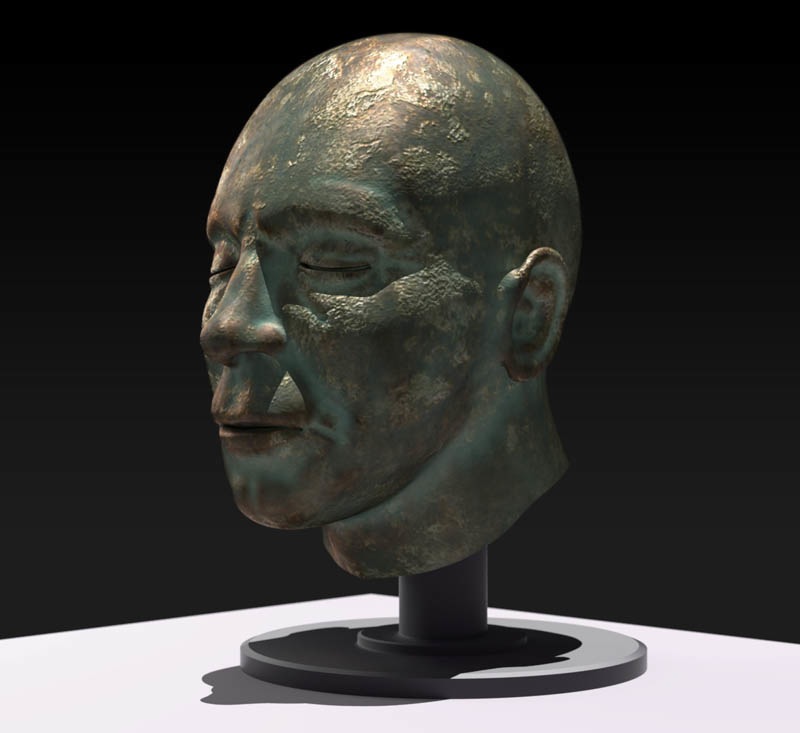
Remember this image? Well, it looks like even 3D models aren’t immune from the ravages of time!

For a much more long term project, I’ve been playing around with some aged materials. This nice copper patina is the end result. The basic material for this image came from BlenderArtists.com, but I added a bit of my own nodes to it for a more customized look. Mostly the colour and the shiny reflections on the copper untouched by the patina.

I especially like how the effect makes it look like the model has proper eyebrows (a happy accident).

Enjoy.


Retro-Hip Photoshop Action Roundup

The past few years, so called lo-fi photography has been all the rage. I’m not sure if it was Hipsters rediscovering cheap film cameras like Lomos, or the Instagram app, that has created the movement where everything has to look like it came from a cheap plastic camera rather than some of the most sophisticated computer electronics built by man. And speaking of cheap, has anyone seen the prices of some of these Lomo cameras? Pretty pricey considering this particular camera technology was originally developed by the Soviets. I guess the capitalists get the final laugh on this one. Though a careful search online can reveal lo-fi cameras that have a price that better reflects their origins.

Regardless, of who (or what) started the trend, the appeal is obvious. In an age where digital photography rules, it’s easy to take great photos. Though to be fair, digital cameras can take a flawed photo, but they tend to blow up images in obvious ways that are easy to detect and eliminate long before prints are made or are shared online to friends and loved ones. Recapturing the warmth and atmosphere of analog photography would seem be the goal of young people growing up with the cold, predictable nature of digital photography. But for people like me who grew up with cheap disposable cameras, it’s just crappy photos. 🙂

Of course you don’t actually need to buy a film camera to have all the benefits of faded colours and strange focus. There are apps for that. As mentioned before, there’s Instagram, along with a bunch of competitors. For the professional photographer or graphic designer, there are plenty of Photoshop Actions that can easily achieve these effects. Many of them are free.

I’ll show you a few of my favourites.

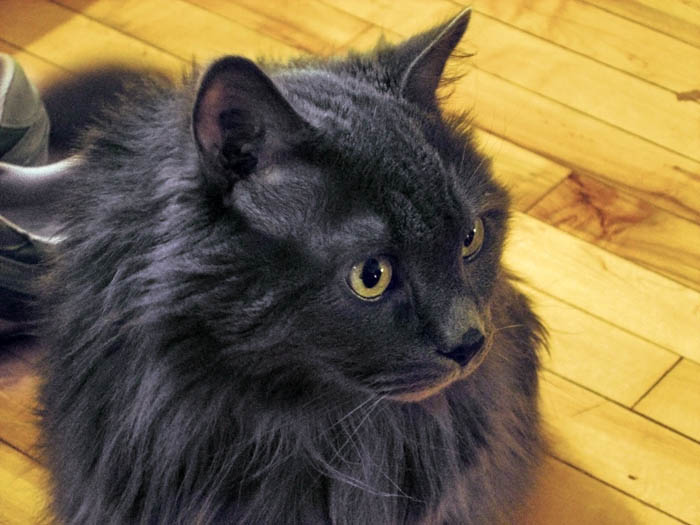
For a sample image, I was trying to find an image that wasn’t too professional looking and wouldn’t embarrass me too much. So I decided to make our other cat, Jessie, famous. Click on any of the images to see a larger sample.


Instagram Actions

This was the first set of lo-fi camera Photoshop Actions that I ever came across. Its aim was to replicate the original set of Instagram filters for use in Photoshop.

I can’t say I’m a fan of these actions. At least not by themselves. But with the power of Photoshop, the results of different actions can be combined in different ways. In my experience, this vastly improves on these Actions, and can help you as the designer come up with a more personalized and unique image.

You can download the action here.


Old Photo Action

I originally had pretty high hopes for this one. I was a little disappointed with the effect on my test image. It was just too monochromatic. Fading back the effect improved the look of the image. I also thought that perhaps my test image was too green to start with. Choosing another image with a combination of warm and cool colours gave better results.

You can download the action here.


PP Light Leak Free Action

A simple but clever effect. This free sample belongs to a large kit that has different colours and gradients that bleed off into different directions.

You can download the action here.


Holgarizer Action

This is perhaps one of the more comprehensive of all the Photoshop Actions covered in this post. This action really goes out of its way to beat up your image. It even tries to simulate the barrel distortion you’d get with cheap plastic lenses. I find the effect to be a bit heavy handed. Because of the barrel distortion, it does make it difficult to combine this Action with other effects. Good thing the Action comes with instructions on how to tone down some of the effect.

You can download the action here.


Rusty Vintage Action

I think this one turned out to be my favourite of the bunch. It’s still pretty monochromatic, but I do like the overall colour cast and it doesn’t hammer down too much on the details of the photo.

You can download the action here.


Retro Light Leak Action

This was another good, retro-style image. Blows out quite a bit of detail though. A lighter image with lots of highlights would suffer quite a bit under this action I think.

You can download the action here.

Sir Aiden, Protector of the Giraffe People

Sir_Aiden

Just a quick post while waiting for my phone to update to IO7.

A very imaginary drawing inspired by my son. Of course the details are largely guesswork as he’s only 6 months old. But if he keeps eating the way he is now, I’m certain he’ll get to this size soon enough. As for the rest, the giraffe cowl is inspired from his favourite blanket. Toss in a bit of sleep deprived imagination and he we go! Drawn in Adobe Ideas as a test. The drop shadow and a couple of very minor tweaks in Illustrator.

BTW, this one has become a personal favourite of my wife. I’m going to see what my options are to get a print made of this one. I’ll probably tweak the illustration a bit more before that though. Adobe Ideas is a pretty nifty program, but there’s just a few things bugging this sometimes anal graphic designer.

1 Comment

RIP Charlie

Charlie


Not the post I had in mind for this week.

This past Sunday, my wife’s cat, Charlie past away. He was pretty old – over eighteen years old, and not in very good health. He was having kidney troubles and was diabetic. We had a few close calls over the past few years. Infections that really seemed to sap all his energy. But he always bounced back. But these past few months he really slowed down, and it seems his kidneys finally gave out on him. Probably Friday or early Saturday. He looked and sounded pretty grim Sunday afternoon.

I took him to the emergency vet that was open on Sunday, and they gave us the bad news. It was just about the hardest thing I ever did.

Anyways, a quickie tribute to him. Chowing down on some kibble. Pencil on yellow note pad. Colour quickly done in Photoshop.

Rest easy Chuckles.


Charlie

Image of the Month – September 2013

September_2013


A New Twitter Avatar

The avatar I was using for Twitter was something I put together quite some time ago. So long ago, I used a little program called Freehand to make it. Which is dating myself quite a bit. So it was time for a new one.


Twit Tweet


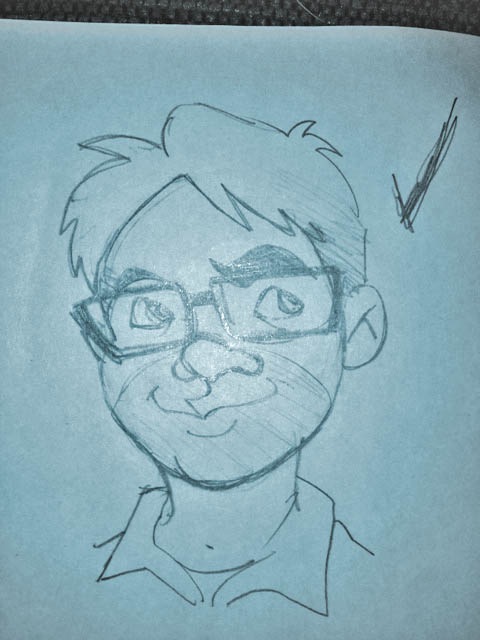
This one started out as a sketch I quickly scrawled out on a notepad. I then took a quick snapshot using my iPhone, and brought the image into Adobe Ideas to develop a nice quick vector image. Every Adobe Ideas drawing allows for one image to be used as a background. In this case, I was only using it as a guide for the rest of my linework. I would delete the image afterwards.


My quickie snapshot. Would have been better without the flash, but good enough for a guide.

My quickie snapshot. Would have been better without the flash, but good enough for a guide. The massive checkmark was just a little reminder to me that this was the sketch I wanted to flesh out later.


This one turned out rather well. It has taken some getting used to using speed to adjust the line thickness rather than pressure. I wound up using the undo feature quite a bit. So regardless of the somewhat loose looking colour use and sketchiness of the line work, this is actually quite a controlled piece.
Enjoy.

Big Eyed Monster

Alien_Render

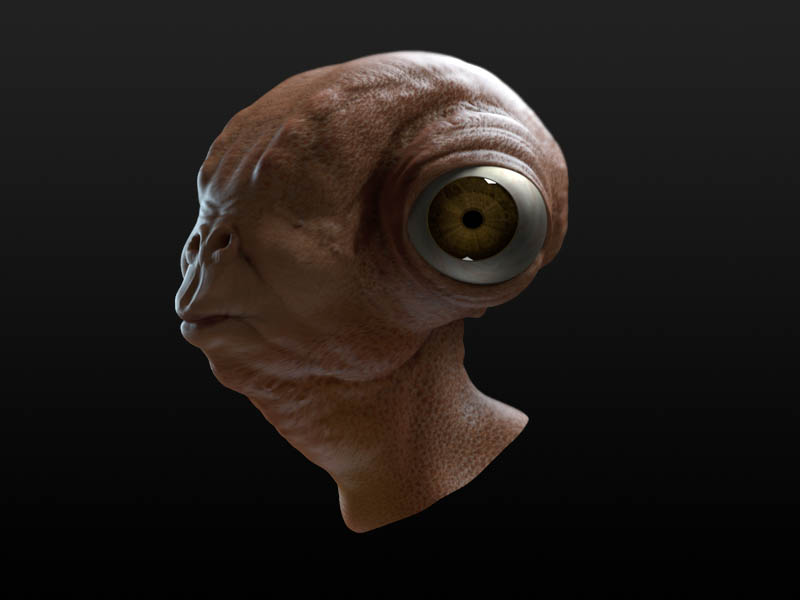
Remember this guy? Well I got him all properly textured and rendered. Not too shabby if I do say so myself. Rendered out in the latest, greatest version of Blender 3D. A small bit of retouching needed around the eyes and a few other small places in Photoshop. And some minor adjustments to the colour. Enjoy.

Image of the Month – August 2013

August_2013A


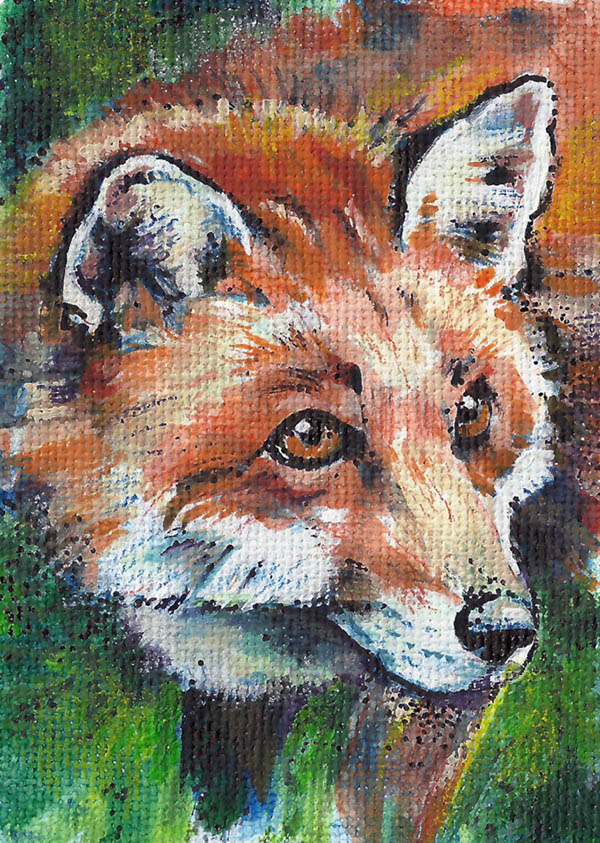
Following the recent success of my first Artist Trading Card and it’s journey through geocacheland, I’ve decided to make a follow up. My previous card is supposedly on it’s way to Europe! And all I thought the card would do was float around geocaches in central Manitoba or Northern Ontario. I’d like to think I was the first person to combine Artist Trading Cards and geocaching, but as with all things, the Internet kinda beat me to it. A lot. But it is still kind of great that the experiment greatly exceeded my expectations.

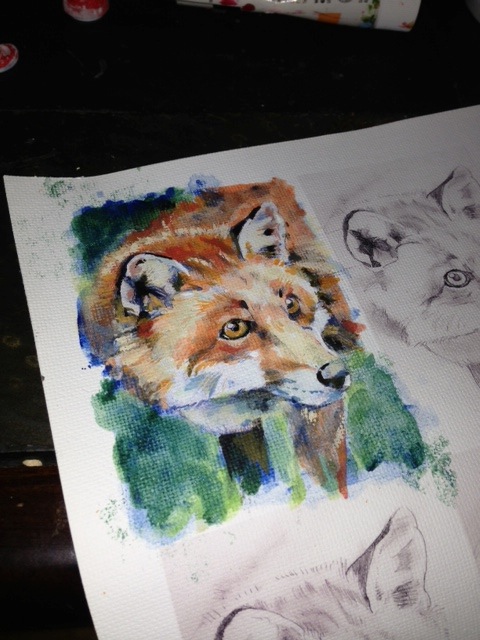
This one is a little more detailed than the last. Keep in mind, this is a business card sized painting, so detail is kind of at a premium. As with the last one, I started off with a very large pencil drawing, scanned it into the computer, where I scaled the image to size and then printed it out onto textured linen inject paper. I printed out a whole bunch to a sheet just in case I made a serious mistake and had to start over. I then finished off the image using mostly acrylics, with a bit of pencil crayon and some marker for added detail.


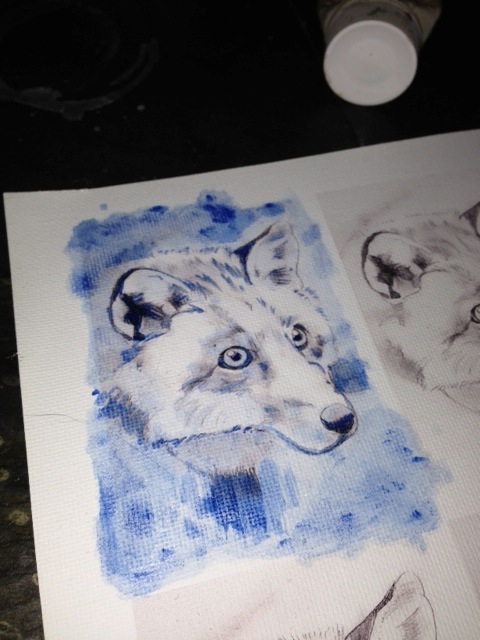
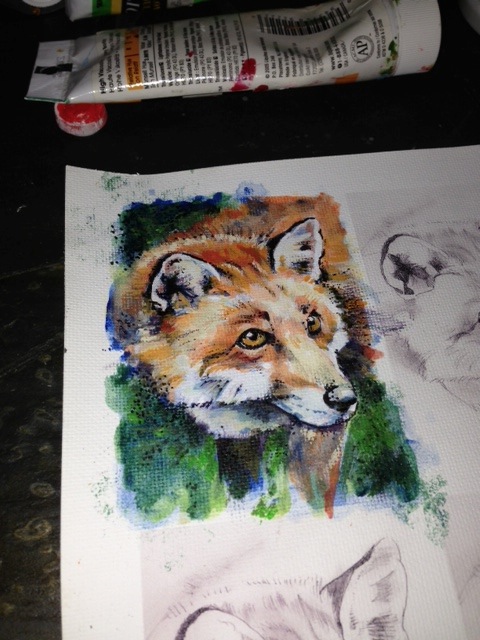
Here are a few snap shots showing step by step how my image came to be.


A Prussian Blue acrylic wash was used for an underpainting. I like to used complimentary colour to establish value on my underpaintings.

A Prussian Blue acrylic wash was used for an underpainting. I like to use a complimentary colour to establish value on my underpaintings.


After all the acrylic work was done.

After all the acrylic work was done.


A bit of pointillism with a fine tip Sharpie to add a bit more contrast and help define some shapes.

A bit of pointillism with a fine tip Sharpie to add a bit more contrast and help define some shapes.

Geocache Update

Header

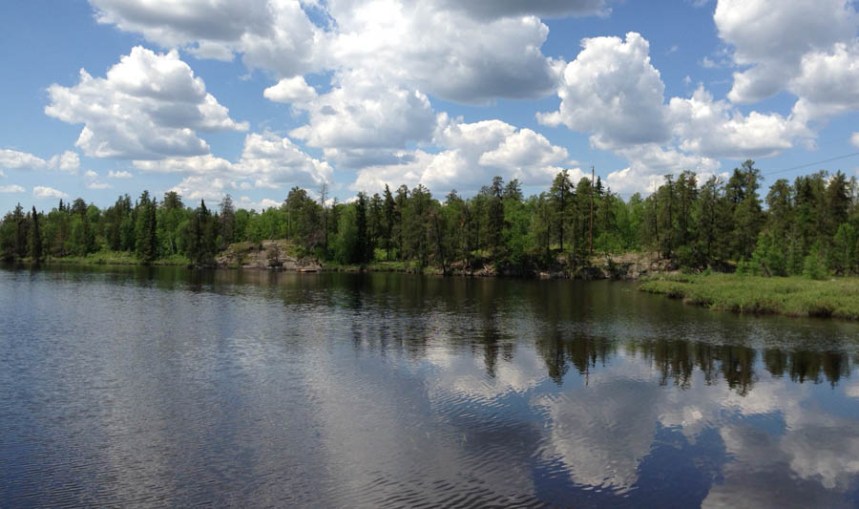
Star Lake, Whiteshell Provincial Park.


This is an update from the post I made last year regarding geocaches. You can read about it here.
At the beginning of this summer I got the chance to check out the geocache we set up at the end of last year.

It was great to get outside and explore, even if the cache is just off a fairly well marked (and well traveled) road. Not to give too much away, but the header shot for this blog post was taken not too far away from the cache’s location. So it’s a pretty scenic area.

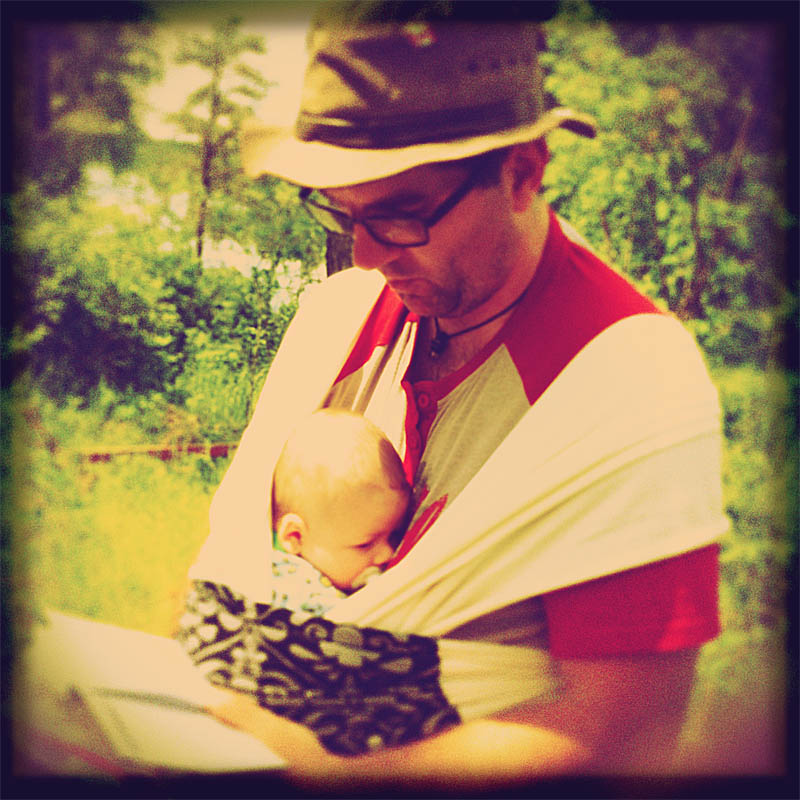
This also gave me a chance to try out the baby-wear we bought for our son Aiden. It was the first time with Dad, though Aiden had been in it with his mother a couple of times. He was’t too sure at first, but he quickly settled down and even managed to fall asleep on the way back.


Baby and Me

Me and Aiden, checking out the logbook. This was the first time baby and Dad using the baby-wear.


Surprisingly, a number of people managed to find it over the winter. The downside was the cache wasn’t hidden in the same place as we left it. Either snow clearing in the area moved it, or someone thought they had it hidden properly but all the snow we had this winter may have only made it look like it was hidden properly. Or maybe some animals got a hold of it.


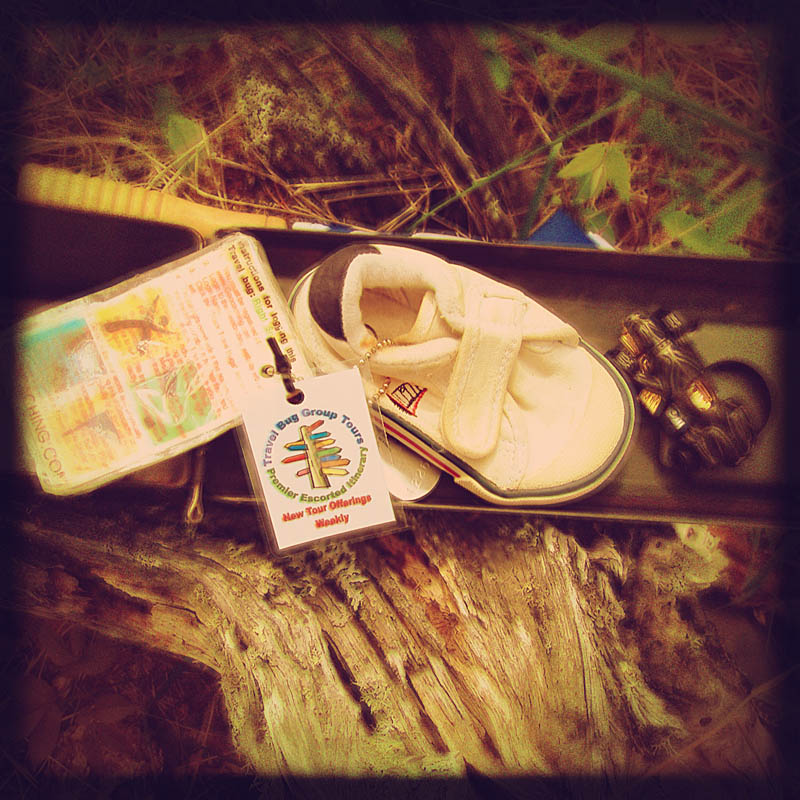
Cache Contents_New

The cache and it’s original contents.


Fortunately, someone found the cache and nicely hid it away for us. Not quite the same place as we had the year before, but it was hidden well enough. I chose to leave the cache at its new resting place.


Contents

The contents of the cache as of late June.

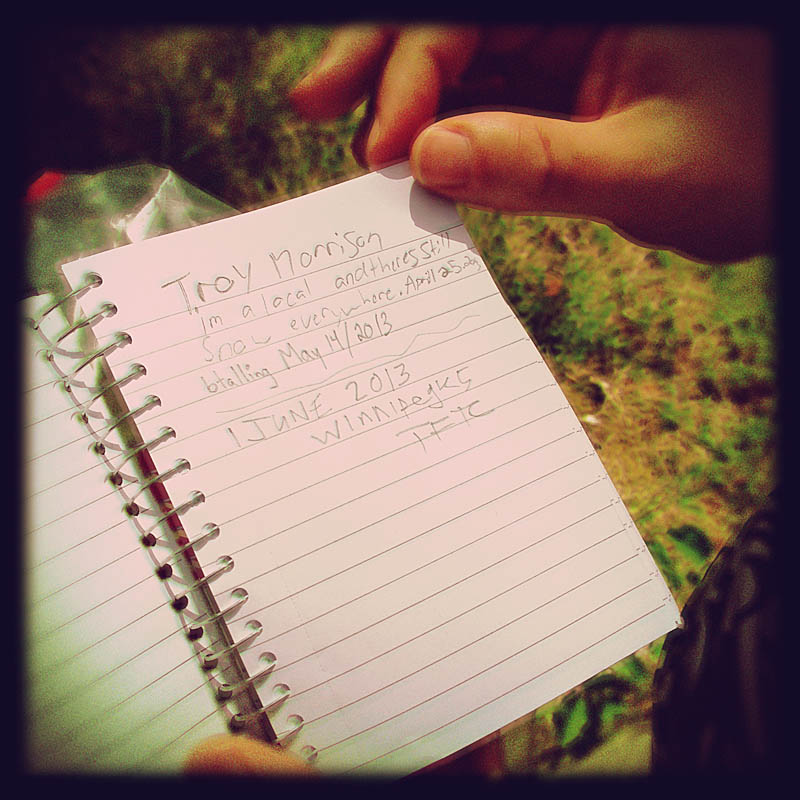
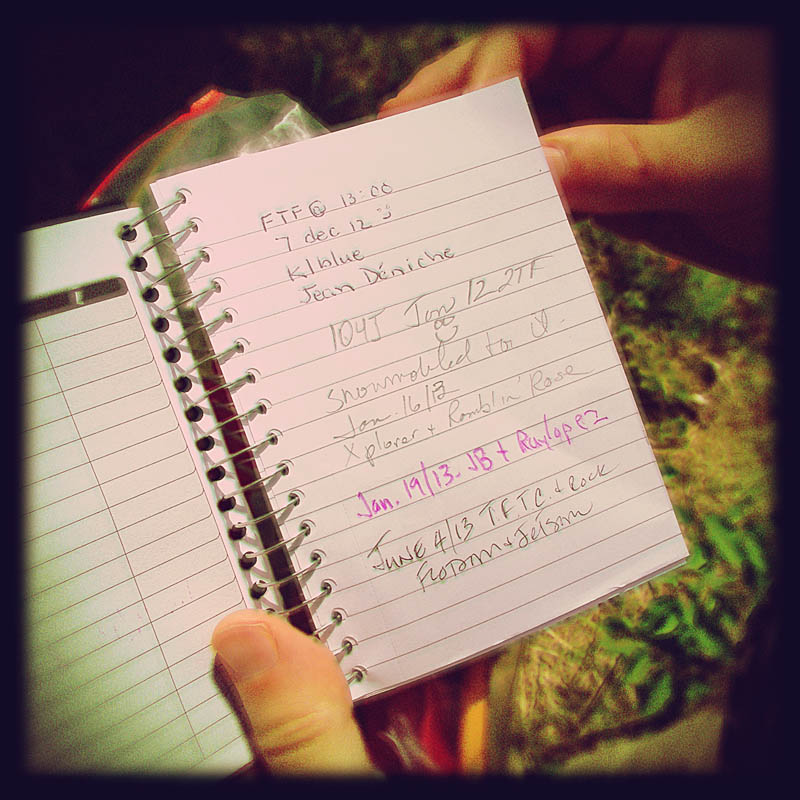
It was interesting to see all the log posts and a few little goodies left behind.


Logbook1

Some examples of some of the log posts left behind.

Logbook2

More examples of log posts left behind.


My geotagged art trading card I made for the geocache was found almost right away, and has since traveled to parts unknown. Last I heard it was in the Savannah, Georgia area. That made my wife rather jealous as she has wanted to go to Savannah for while now. Especially after seeing the movie, Midnight in the Garden of Good and Evil. She has it in her head that Savannah must be this really cool, quirky place with a rich history and atmosphere, just like in the movie. People who know better can just keep that to themselves. One day we will get there and decide for ourselves!

Following the modest success of that trading card, I’ll be making another one up and will be placing it in our cache later this summer.
Stay tuned!


For anyone interested, all the pictures taken in the post have been processed after the fact using some Instagram-like Photoshop actions that I picked up on the Internet for free. I’ll be blogging a review of the actions and my thoughts on these “vintage” style camera effects in a later post.

Two Years Later

Year 2 Tag Cloud

Last year I made a word cloud using Wordle.net as an interesting and very visual way to describe my year of blogging. I have done so again this year to see how much (if any) change has occurred. The obvious is the colour change. But that was a deliberate choice by me and had nothing to do with my writing. So far it looks like my language use hasn’t changed much since last year. I think I’ll keep doing this to see if anything changes, or if there is a definite pattern to my writing style.