Drawcember Week One Update
As mentioned in my first post on my Drawcember project, here’s a dump of my finished images of week one:






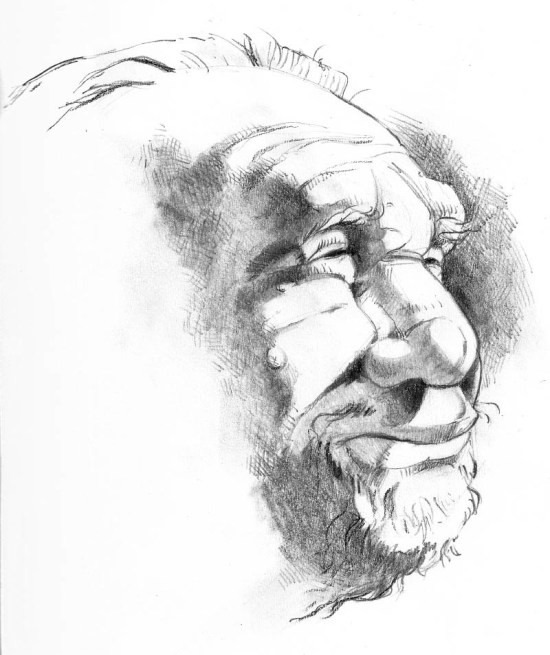

As mentioned in my first post on my Drawcember project, here’s a dump of my finished images of week one:

About halfway through October, I found out about Inktober, where illustrators from all over try to complete one traditional (not digital) drawing per day. Sounded like a great idea but October was half over by the time I found out about it, and while I have plenty of sketchbooks to fill, not too much India ink in my art supplies these days.
The month of November kinda flew by, so I decided to try out the month of December for a daily drawing challenge. Yes, I know December can be a pretty busy month, but I figure what the heck, I moved into the house I live in right now two weeks before Christmas, this has got to be a breeze, right? Or I’m marching off to my doom.
So now the rules. Again, to make it easier on myself, I am leaving any medium open, including digital. Though if it is digital, vector drawing will be out. I like vector drawing, but I am trying for a more traditional approach to artwork for this and I’d just be wrestling with the software too much for a traditional style in programs like Illustrator. And the artwork must be a finished piece. Quick sketches and doodles scrawled out on post it notes don’t count for this exercise. Though sketchy drawing styles are acceptable. Confused? Good. Me too.
Even tough this is a daily challenge I will only be posting once a week on my blog. The blog will contain proper scans of my work if done using traditional media. To follow my daily progress, you’ll have to follow my Twitter feed. That will only contain snap shots off my iPhone if traditional media.
Once everything is over, I will post everything to my vastly underused DeviantArt account and maybe setup some prints for sale. I MIGHT even put a book together of my experiment.

I’m slightly cheating on this one. It’s a snapshot, not a scan. The final scan will happen for this one at the end of week roundup.
This image has nothing to do with anything. It’s just some random drawing idea I’ve had for ages. Since December 1st kinda snuck up on me, I decided now is the time to get it out.
You can see week one drawings here.
You can see week two drawings here.
You can see week three drawings here.
You can see week four drawings here.
And you can see the last fews days and my final thoughts on this project here.

Remember this picture of Sir Aiden? Well, this guy may look like a big grump, but he has a huge heart and is a staunch friend of the Giraffe people. He’s Enrol, King of the Yeti people from the far, frozen north. And he’s sporting an impressive ‘stache for this Movember (and pretty much every month as he is a Yeti after all.)
Initially sketched out on paper. Then shot with my iPhone and then drawn out in colour in Adobe Ideas on said iPhone. It’s quite the thing to draw these out on such a small canvas. Interesting challenge though.
Enjoy.

Shortly after I started using Evernote, I started up a notebook for just blog post topics or projects I could do for my website. Inspiration can hit at any time, and it may not be practical to jump on any idea that comes to me right away. It may be days, weeks, or even years before I start projects once I’ve come up with them. And of course when I DO have some spare time to work on something, I usually cannot remember most of my older ideas. Keeping a running list of stuff is handy to have around. If I have some time and can’t think of anything to do, just consult the list.
For this list, I started up a new Notebook in Evernote to stash all my ideas in. This notebook mainly consists of just one note. Its a big list of ideas that I can quickly jot down. Using Evernote is nice as I can use a checkbox to start off each item of my list and can then check them off as I complete them, giving me a small sense of accomplishment. My list is quite long and ever growing.
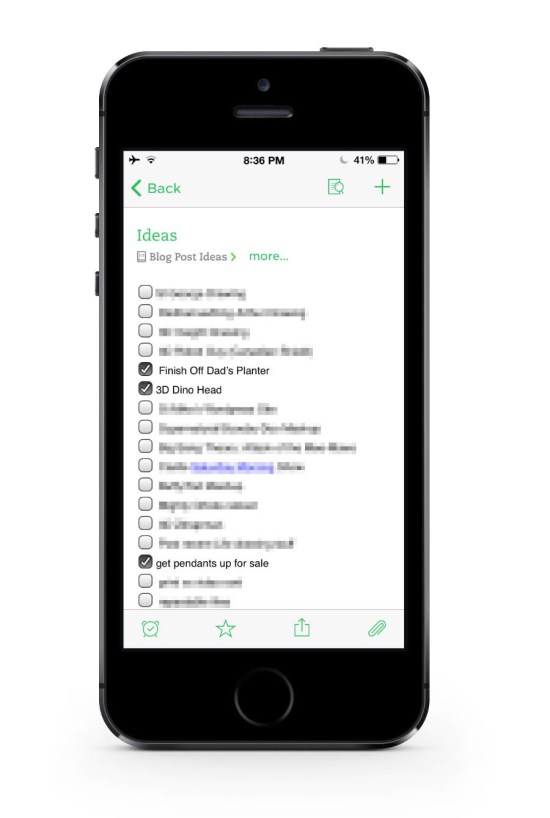
My Evernote Blog ideas list. This is just a small portion of the list. It’s quite long.
And I’m not too worried about trying to finish my list. It’s not quite a to do list or bucket list‚ as I’m not supposed to finish it. If I do, that means I’ve run out of ideas. And for a blog about creative design, that’s a bad thing.
And with it being Evernote, everything is synced to all my devices, and I can cross reference my list of stuff with various other notes and web clippings I’ve stored up over the past few years of blog reading.
This list idea could work for anyone, be it a visual artist like myself, a writer could use it for a list of topics to write about, or even cooking ideas for a budding chef to try out.
Simple but effective. [Evernote for iOS]
For those interested, the iPhone mockup I used for this post came from here:
www.pixeden.com/psd-mock-up-templates/iphone-5s-psd-vector-mockup
It’s a free download and was quite nice!

A long time ago, I set about creating a Photoshop Action that would make a selection (most likely a font) and make it look like it was made from a slice of Pizza. I posted an image made from that action an put it on my portfolio, with a brief explanation regarding its creation.
Recently, it appears that particular post has been getting a few hits. As it was only for my portfolio, there was no download of the action available. I have since rectified the situation. It is now available on my DeviantArt page. You can find the link here.
Enjoy.

It occurred to me today that I hadn’t actually posted this image as a portfolio piece. Just as a header image for a post a while back. I’m pretty happy with the way this one turned out.

After two years of blogging, I’ve decided to try to take blogging a bit more seriously. It was a great way to get my portfolio up to date, and has given me the pressure I need to work on projects outside of work. But if I want to do something more with my blog, then I’m going to need a plan to get more traffic.
So I took a class on driving traffic to blogs. My local bookstore set up a Community Classroom with classes available on a range of topics. They offered several classes on blogging. The class for driving more traffic to your blog thru social media seemed like a natural. And the class was being taught by a professional blogger and social media consultant, Cendrine Marrouat.
So why does a long time Graphic Designer need to take a class on blogging? One of the problems with being a designer is non-designers tend to think that designers can do just about anything computer related. Print design, web design, photo retouching, writing, proof reading, blogging, social media, photography, video editing, 3D rendering, and many more hats get put onto a designer’s head. I’ve even been this close to having to do media buying and planning!
Most designers get a little overwhelmed with all the extra responsibilities that sometimes come with the job. Designers are pretty comfortable and confident behind a computer and even at this late date, there are plenty of people out there who feel intimidated by computers and may latch on to those who aren’t. It also doesn’t help that creatives tend to be people pleasers, and that makes it hard to turn down all the extra responsibilities that sometimes come with design gigs.
But no one can know everything about design and its related fields. Even an old veteran like me has to draw the line somewhere. All the ins and outs of actually running a blog is all new territory for me. And marketing strategies have always been one of my weaker areas.
So I signed up for the class with some trepidation. I had attended a class at the bookstore once before on a very different subject, and while that presenter was very knowledgable, they were also a very poor presenter.
This class, however, was great! I guess it helps when the presenter is a professional. The intro part to blogging and the design of blogs I was already conversant with, but Cendrine was able to show me a few things I could be doing strategically both thru social media and a few Wordpess settings that can help drive more traffic to my blog.
I don’t want to give too much away (take her class or hire her as a consultant) but the best advice she gave was to treat my blog as customer service. That is, serve the needs of my audience and not serve strictly my own. Means more design tips and talks about design and fewer (but only fewer) posts talking about my art and design projects.
And I need to get more involved with my audience. And there was plenty of advice on how to use services like Mention.net and Scoop.it to help identify and engage my audience.
So armed with these tips, we’ll see just how much traffic I can generate over the next year or so.
For more info about Cendrine Marrouat check out her website at:
Or her blogs at:
More info about McNally Robinson’s Community Classroom can be found here clicking here.

Starting November off with just a quick vector image. She’ll deny it, but it is loosely based on my wife.
She says it looks like this girl is ready to fight crime or solve a mystery.
Who knows? She might be right.
Drawn with Adobe Ideas with my iPone and a stylus. Enjoy.

And with him all lit up…


Not too long ago, while reading up on my blogs during my lunch break at work, I found out something truly exciting. Seems that Kai Krause, the godfather of Photoshop magic in the 1990s (along with 3D, fractals and just about everything else computer graphics related) is back from whatever castle in Germany he’s been held up in and publishing software again. It a fractal exploration program for iOS called Frax.
Well it didn’t take much convincing to get me to download it and give it a try. The basic version for the iPhone was $2.99 with an option to upgrade to a Pro version that has more features. There are also in app purchases that I’ll get back to later.
The program itself is gorgeous. Lots of attention to detail was given to the interface. Lots of gesture control and very fluid animations to navigate the fractals generated by the program. It even takes advantage of the accelerometer for navigation. Though, it would be nice to turn that off as a rather curious 6 month old can send your pixel perfect fractal zooming off into the ether, never to be seen again!

The Frax interface.
When you first open the program, you are walked through the entire interface where you learn how to navigate, zoom, colour, texture and light your fractals. Good thing too as this program, while clever, does use some pretty non-standard interface techniques. And what else can you expect from Kai Krause, creator of such wacky interfaces for Kai’s Power Tools?
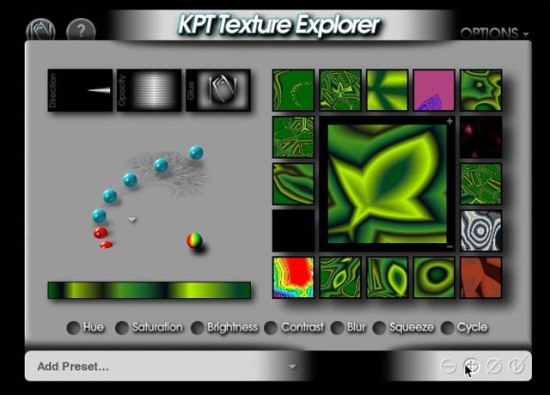
Ah, the memories. I remember playing around with this back in design school…
In app purchases are made if you want to render your images at greater resolution than the screen of your idevice. Higher resolution, detailed images are rendered online on a server farm. Once rendered, you are emailed a link to download your image. You buy credits and render sizes are based on credits. The larger the render, the more the credits. And you can render pretty big sizes. Up to 50 mega pixel renders! Seems pretty huge to me, but if you wanted to print out a poster sized image with lots and lots of detail, I suppose you’ll need all 50 megapixels. Though I found the 5 megapixel render was drop dead gorgeous, and would easily fit a. 8.5 x 11 inch page at 300 dpi – pretty standard for most professionally printed pieces. Below you will find some examples of some test renders. The first one is a save from my iPhone 5’s screen (free), the second one is a larger render of 3.1 Mpx and the last one is the 12.6 Mpx render. Anything larger and I’d have to shell out cash for the Pro version. Just click on the image to see the full resolution images to judge the quality yourself. I normally don’t upload such large images, but for this, I will make an exception! The renders are very, very good quality. Even at the iPhone screen resolution.

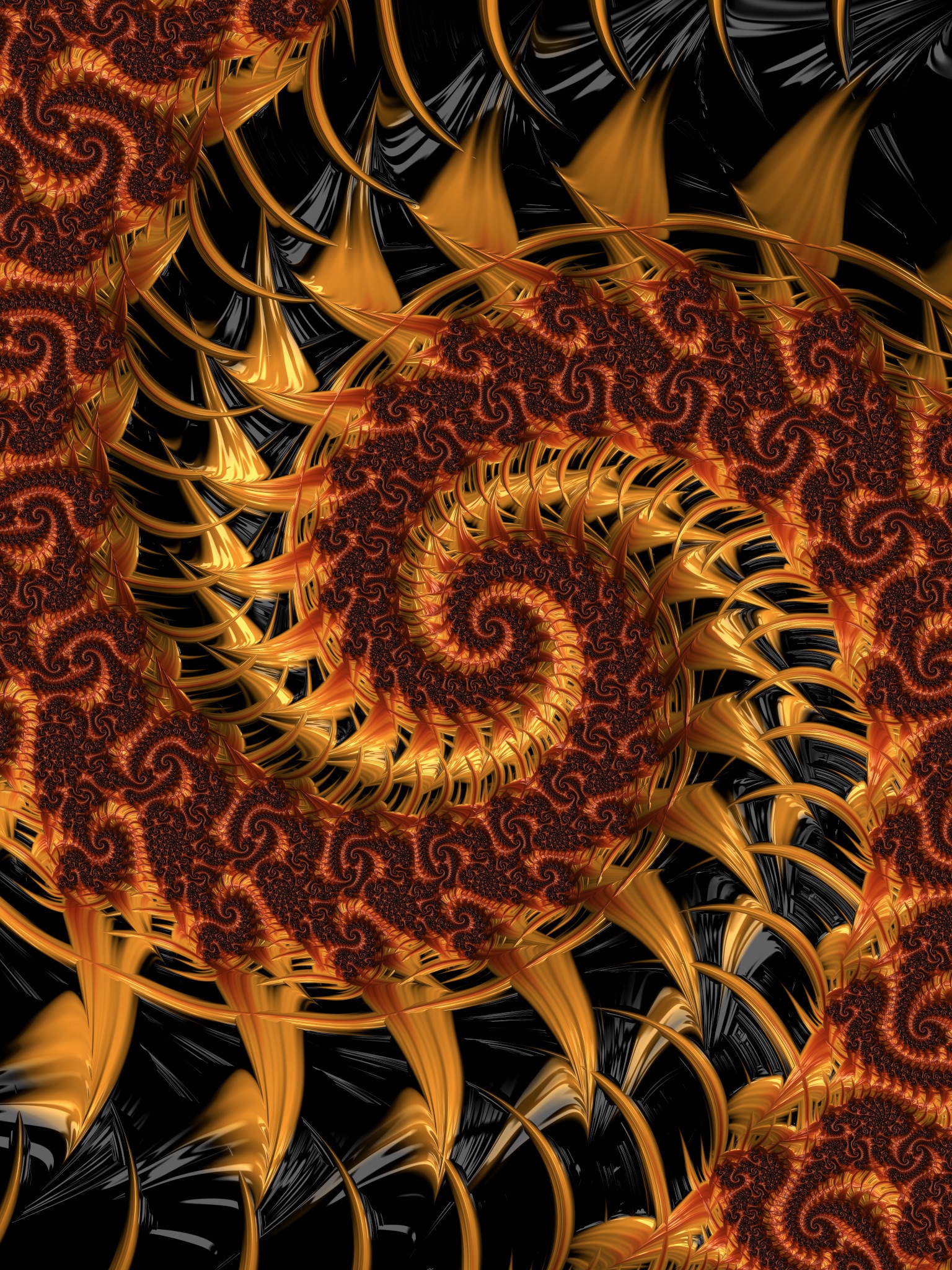
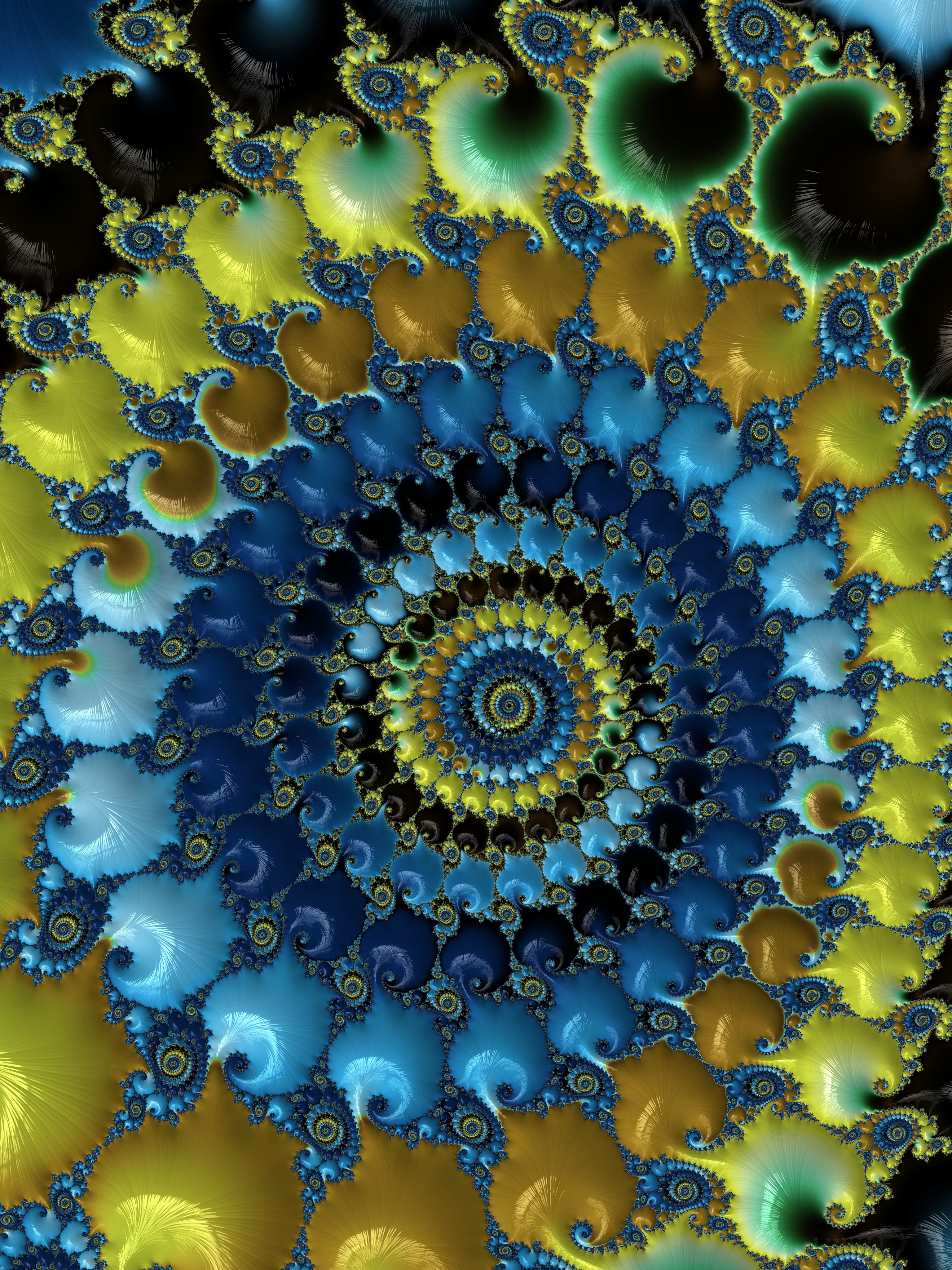
While I haven’t purchase the Pro version, it seems to give you more options for controlling the fractal images. The basic version is mainly for exploration of fractals, the Pro version lets you get under the hood and really define what kind of fractal you get to explore.
There’s also some social media aspects to this program I haven’t had the time to explore yet. You can upload your fractal images for others to see and share.
All-in-all, a pretty good app. I’m curious as to what could come next. Kai always seemed to me that kind of guy who’d have a lot of different projects on the go. And he’s been very, very low key for quite some time.
Enjoy. [Frax for iOS]
 Eye Opening Design