Graphic Design and Illustration.

Elephant

Elephant

Yeah, I know it’s a rhino.

There’s quite the story behind this image. It’s an older one. I did this drawing for my high school art class when I was 17 years old (I’m now 38). A friend of mine who was taking art classes for an easy credit was rather disgusted with how accurately and realistically the image came out and kept calling it an elephant instead of a rhino. The name stuck.

When I was first finished the image, I wasn’t too thrilled with how it came out. There are some problems with the proportions, and it was bugging me, but the graphite was too ground into the paper for me to do anything about it. It took me years to finally decide it was a good piece. My parents’ on the other hand, liked it right away and put it in a large frame (the drawing itself is a full size piece of mayfair cover, approximately 18in x 24in in I believe) and mounted it on a ledge that ran across our front entranceway. A few years later it fell the nine feet to smash on the main floor. I thought for sure the drawing was going to come out of the frame in ribbons. It did not. Though it DID have a few good gashes going through it in a few places. You won’t be able to notice them on this digital capture.

I decided to post the drawing here. The mayfair cover is getting quite old and has yellowed noticeably. I don’t think the original is going to last that much longer. A quick snap shot and some photoshopping to deal with the yellowing and voilà, here you go.

This is the very last pice of my older and sometimes more juvenile works that I’ll be posting online for the sake of completeness. You can see the rest of these works here, here and here.

Photography Business Card Design

Bus_Cards

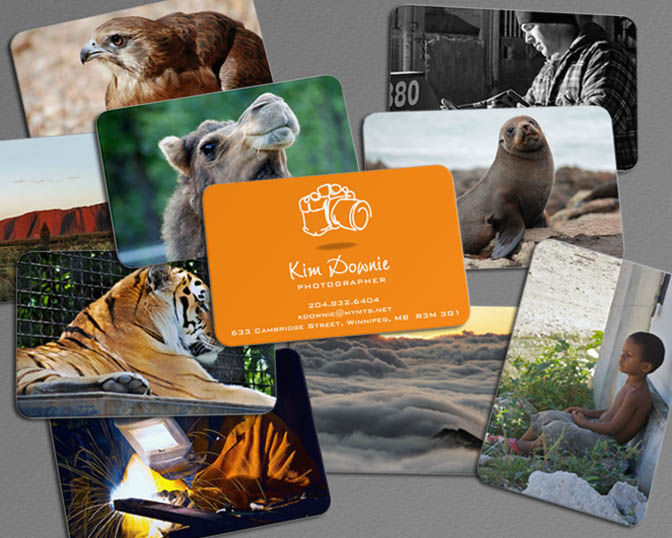
A business card design I put together for my wife, a professional photographer. I used the online service Moo.com for the prints. They are relatively expensive for a digital online printer, but the quality of the cards was well worth it. And everything was delivered very quickly and professionally. Well worth the money.

I took good advantage of the the fact that you can print different images on one side of the card, the perfect showcase for a photographer (or a graphic designer for that matter). I wanted a nice bright colour for the front. I settled on orange as I knew it was one of my wife’s favourite colours. And a nice quick, whimsical drawing of a camera for a quick and dirty logo of sorts.


Image of the Month for April

April_2013

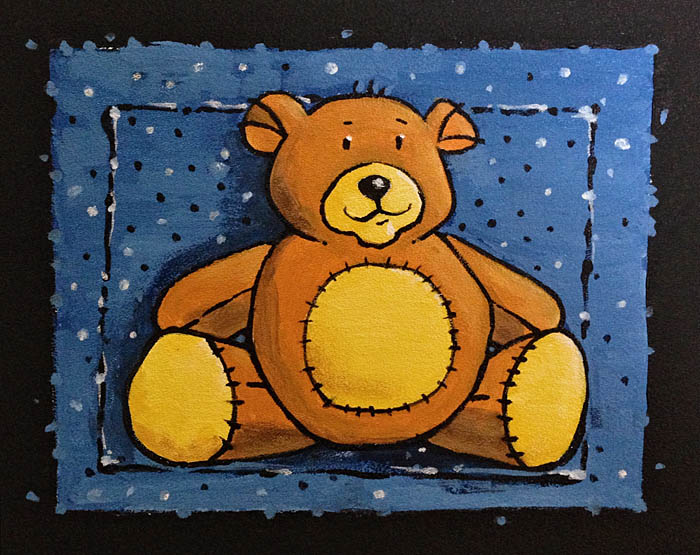
Well April’s Image of the Month is a bit late (and the one for March is non-existant), but I’ve got a pretty good excuse. My wife gave birth to our son, Aiden, a bit earlier than planned. And as any parent can tell you, the first few weeks of a baby’s life is pretty disruptive. Especially for first time parents.

And in keeping up with that thought, the image I made for this month was a little acrylic painting I did for the baby room.

Hopefully, I’ll be adding some more content soon!

Enjoy.

Brochures

SNA Brochures_Web

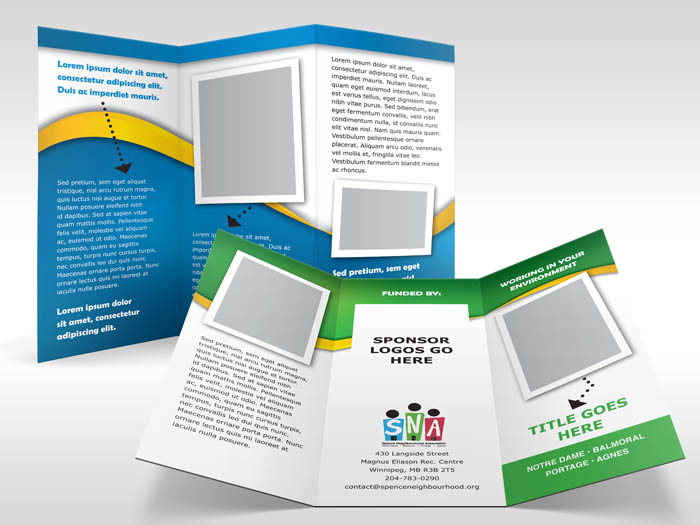
This is just a brief continuation of my previous post regarding my work at a United Way fundraising event, Goodwork. These area few of the sample templates I created for the Spence Neighbourhood Association. Since these are only templates, there is of course only the famous Lorem Ipsum dummy copy in place and no actual pictures in place. That will be up to the organization to supply for each brochure they actually make.

There were five different categories, each one getting their own colour treatment. Since future brochures would be done largely by non-dsigners, I wanted to keep a clean, uncomplicated layout with fonts I was fairly certain they already had, or would have easy access to. I chose a palette of nice, bright colours that went well with the existing logo and helped convey a sense of vitality and energy – important attributes for the client to convey to their audience. The arrows they were already using in some of their brochures. I liked them and kept them. It’s a quick, easy way to add some fun to the design and help to unite pictures and callouts with body copy. The pictures have large white borders, reminiscent of old-school polariod shots.

As I had mentioned earlier, was a fun, though stressful project. And I’m not too certain that I’ve heard quite the last from this project. We shall see.

The brochure mockups were created using some really elaborate looking Photoshop actions created over at PSDCovers.com. Check’em out!

1 Comment

A Good Day

GoodWork_2013_Banner

This past weekend, I participated in a very interesting experiment. A group of creatives from different disciplines got together for a single day, working on mini-projects for various non-profits. It was called Goodwork 2013 and was the brainchild of the founders of the Secret Handshake meetup I keep blogging about.

I’d heard some grumbling about this event for some time. Once the word got out for volunteers to take on the projects, I gave it serious consideration, but decided against it as it was getting close to my wife’s delivery date, and I don’t own a laptop. An iMac is not as cumbersome as a desktop model, but isn’t exactly portable. But toward the end, there was one last call for print designers to sign up. I told them I would volunteer if the site could accommodate setting up my iMac. They said it could, so I was in!

Two days before the event I was emailed some information on my mini-project along with some assets to help me out. The client was the Spence Neighbourhood Association. A small but dedicated community-led group running a lot of programs in one of Winnipeg’s sketchier neighbourhoods. I was to build a set of brochure templates for the organization. Five of them. And a document describing how to use the templates. A pretty tall order. Back in the day, when I was laying out catalogs and other publications, I wouldn’t have blinked at this assignment, but I don’t do a lot of long documents anymore and am not as familiar with page layout software as I once was. The good news, the project manager in charge of me, Leanne Schmidt (and one the founders of the Goodwork event) was sympathetic to my situation. She was willing to work with me so I could provide something suitable to the cause and realistic to the time demands.

After some thinking, I planned it all out and decided that if I couldn’t produce the five templates in one day, I’d march into my place of work on Monday and resign. Which would have caused quite a stir at work since no one knew I was doing this. I received nervous laughter from Leanne when I told her this. I’m still sort of an unknown element at these Secret Handshake meetups, and my sense of humour can be hard to detect. She probably had no idea if I was joking or not! If it helps, sometimes I don’t know either!
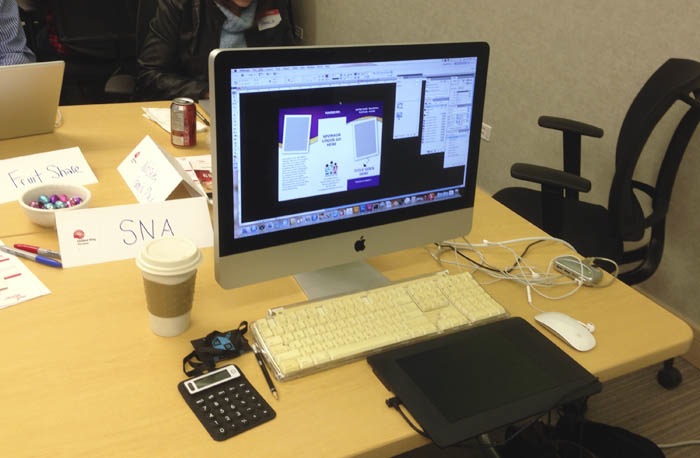
My office, away from the office.

My office, away from the office.

Not knowing what the heck I was going to do for the brochures, I pretty much packed up my whole office, sans printer. I did give some serious thought to packing the printer, as it was an all-in-one combo and the scanner could have come in handy, but that was getting a little too much. I kept the box the iMac came in so schlepping all the equipment around wouldn’t be too bad. People were impressed that I had brought my iMac and commented on my enthusiasm, but honestly, it’s the only computer I’ve got (besides my phone, which wouldn’t be much use), enthusiasm would have been me buying a new laptop just for the event. And I’m way too cheap for that.

The al-day event took place at the United Way office on Main Street. They have some nice big meeting rooms on the main floor that could house all of us. And by all of us, I mean about forty creatives and some United Way staffers. Not to mention the sponsors and various media people coming in and out.

The event started with breakfast and some speeches. And then we were off to the races!

At first I was very worried. The computer turned on okay, but Adobe InDesign wouldn’t launch. I was having problems connecting to United Way’s network, and it seems either InDesign or one of the plugin-ins I installed was trying to phone home, and was preventing the program to start-up. I eventually got everything running, but it was a few minutes of panic I didn’t really need!

The energy and excitement of the event was great! Everyone was pretty jazzed to be there and the mood was positive. All good things to help the flow of creativity, and in keeping my mind off my nervousness in designing in front of people I don’t really know. The coffee and cinnamon buns helped too.

The first few hours were pretty rough. As I had mentioned earlier, it’s been a while since I had to put together a real serious brochure. Especially one where I pretty much had to decide where everything should go totally on my own. The only other person on my “team”, Leanne, was pretty busy doing the talking-to-the-media-thing, and had quite a few other projects on the go, so I pretty much went it alone to prevent myself from being a pain. I did bug her a t the beginning, just to clarify a few things before getting myself in too deep.
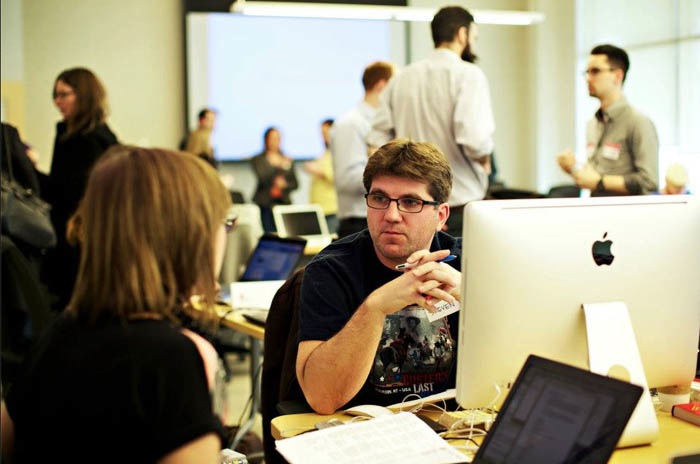
Me in deep discussion. Photo courtsey of theblogofluc.com

Me in deep discussion. Photo courtsey of theblogofluc.com

Eventually though, I did manage to settle on a design that met my standards and with some last-minute tweaking after speaking to someone from the Spence Street area that was familiar with the SNA, I had put together some serviceable brochure templates Hopefully the client will be able to make good use of them. Being a professional designer, I built everything in Adobe InDesign. The client had up until now used Microsoft Publisher. Not a program I’d recommend to anyone, especially if you plan on getting anything professionally printed. I’ve been assured the client is gun-ho about using whatever I recommend using, but professional design programs can be quite daunting. Despite my quickly approaching personal free time black hole, I have already made it clear (I hope) that I would be willing to help out beyond the scope of the project to prevent the client from becoming frustrated if my InDesign files become a problem.

Funky USB

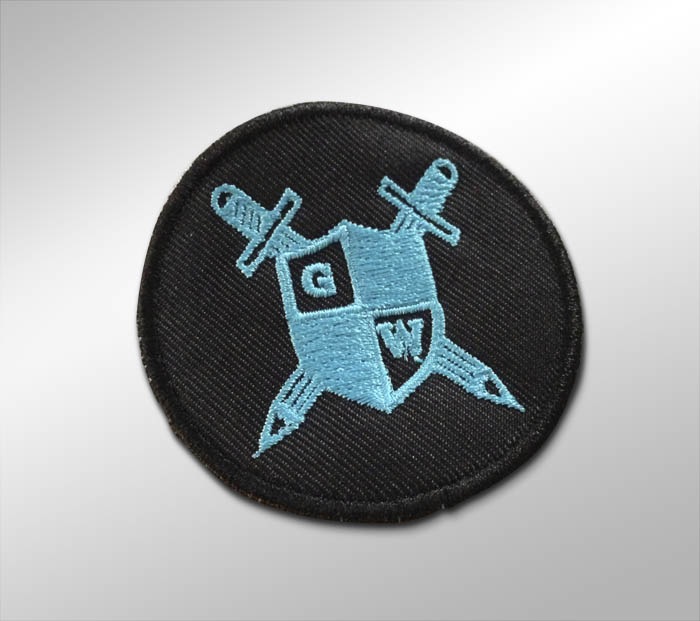
Somewhere just before 6 o’clock, I was finished! Once completed, we were given some snazzy USB thumb drives to put our files (I wonder if could get one of those, I’d pay a few bucks for one of them) and then we could pick a goodie bag containing some pretty cool swag. A nice tee commemorating the event that I will have to model for one day, a Goodwork journal, that unfortunately is lined (I am a doodler, so I prefer unlined paper) and something else rather peculiar. A little iron-on patch. My wife took one look at the patch and wanted to know what I was doing with a Girl-Guide merit badge. I’ve already been chided online for brining it up, but on second look if does look like a scouting merit badge. I imagine the swag came from New Media Manitoba, one of the event sponsors. Someone there have a sense of humour? If it *IS* a merit badge, then if there are any older scouts out there in the greater Winnipeg area reading this and have some design, writing, or marketing skills, check with your scout leader and see if they’ll accept the badge. It does sound like there will be future events.

I’m not certain I’m joking.
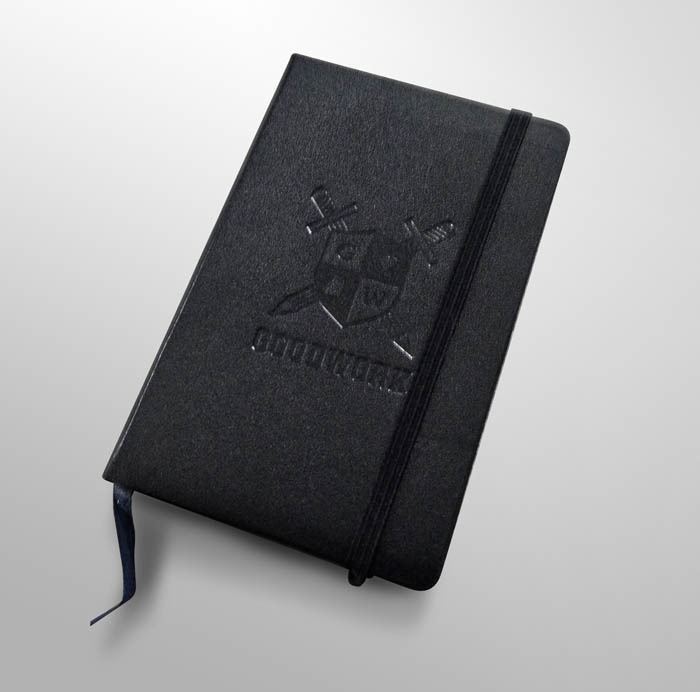
Pretty cool journal.
Pretty cool journal.


How is this not a mertit badge?

How is this not a mertit badge?

There was an after party, but I had been away from my eight-and-a-half month pregnant wife all day, and I figured she was due for a foot rub, so I went home instead.

I have since found out that an estimated $40,000 worth of creative work was donated that day. Not too shabby!

A video of the event was made. A link to it can be found here. Blink and you’ll miss the back of my head! I’ll be posting the ultimate outcome of the project I was working on in a later post.

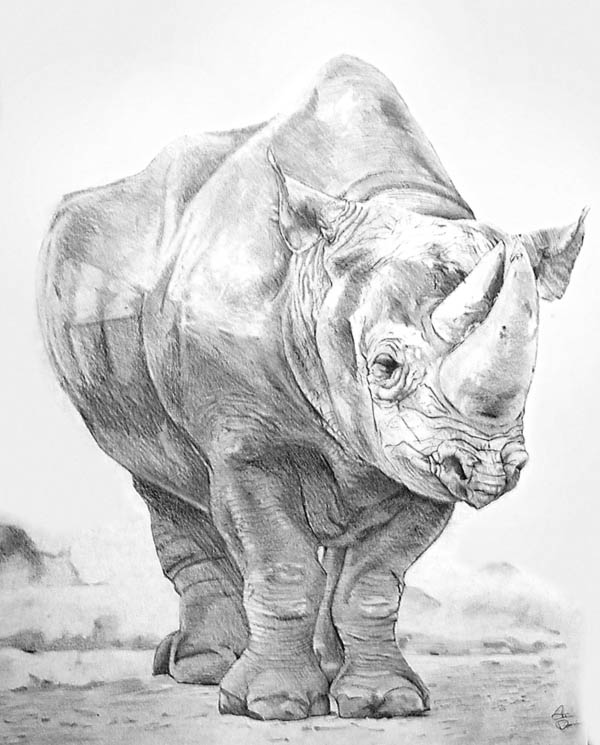


Image of the Month – February 2013

Head
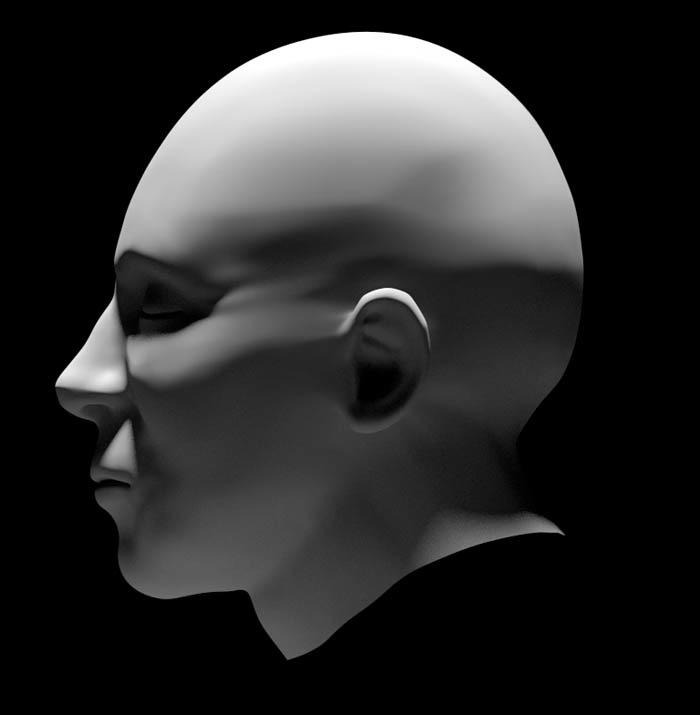
Just in the nick of time. A little 3D model of a human head. I wanted a base model for a head (that I made for myself) that I could then use to try out the Sculptris software. Sculptris is basically ZBrush light. Very light in fact. But it has an intriguing feature set, and the price was right. The model was built in Blender 3D.

A very cold shake.

Yellow_Ice

Sorry for the delay in this post. I got quite sick  a few days after attending Secret Handshake, and recovering took up more time than I would have liked. That and I had quite a time coming up with an image to represent this post. While the image could still use a bit of tweaking, I call this one finished!

This month, I hadn’t planned on going to the Secret Handshake meetup. The munchkin is due in only a couple of months and there’s still quite a bit to do. But two things happened that changed my mind.

First, this meetup was dubbed, Graphic Designer Appreciation Night. All graphic designers would get a free drink. Since I am a graphic designer, it seemed like a good time to go! Especially since the offer applied to non-alcoholic drinks (I don’t really drink).

Second, there was a rather lengthy article about Secret Handshake in the Winnipeg Free Press. It was a pretty good article and it cleared up a mystery. It looks like New Media Manitoba is in fact footing the bill for all the incidental expenses. Things like the printed names tags and tent cards. So I don’t have to worry about the collection agency of Lefty and Louis.

So anyways, as I mentioned in my last Secret Handshake posting, I went home first to have supper as the meetup was going to be at the Arkadash Bistro again. This also gave me the opportunity to check in on my very lovely and very pregnant wife. I made certain I had room for dessert as well. The Arkadash’s menu seemed a little shy on big dinners but had quite a few smaller items I was dying to try.

Now, this evening was cold, and snowing. This must have made the streets a total mess as my wait for the bus was really long. A ten minute wait turned into a 40 minute wait! I was quite the frozen little turd by the time my bus arrived. Did I mention it was cold out?

Remember that newspaper article I mentioned earlier? Turns out a lot of Winnipeg creatives still read the Saturday paper as suddenly 150 people signed up to show up for Secret Handshake. Or perhaps there’s a lot of starving designers looking for a free beer? I was rather worried there wouldn’t be any room at the inn as the Arkadash isn’t exactly the largest venue in the world. This was not the night for standing outside waiting to get in.

Turns out, the Arkadash was prepared for us. Just inside the entrance way I was greeted with one of those red carpet fence posts. You had to wait until someone left to get all the way in. Figures. For once in my life, I’m on the list, but I’m still not allowed in!

It wasn’t long before someone went outside for a “lifestyle” break, and I was in!

Along with the red carpet gateway, the Bistro seemed to have rearranged their furniture to better accommodate a larger crowd. It seemed much less cramped this time around. And I think the weather and road conditions kept a few people away, so it wasn’t totally crazy busy. But it was busy enough that I decided to forgo ordering anything but a drink off the menu. Good think I sharpened my elbows before leaving, as the bar area was rather crowded.

A strange thing though. There’s usually a table (or two) dedicated to housing all our name tags. This time around it was name stickers. Graphic designers and sharp objects usually means disaster. I guess since there would be quite a few graphic designers showing up, using stickers instead of name tags would prevent a lot of unnecessary bleeding and missing eyes. Eyes are very important to the visual arts.

Another reason this meetup may have become so popular this time around had something to do with design students at Red River College. Seems the students taking the Digital Media Design program are required to attend industry meetings as part of their course. Gives students the opportunity to meet industry insiders and develop contacts I suppose. The one student I did talk to did make the mistake of making me feel old though. It’s been a long, long time since I was a student at Red River, and the student I was talking to wanted to know if seventeen years ago we used computers for graphic design.

We did. We even had indoor plumbing. And dirt. That was invented the year I started attending class I believe.

And after feeling older than I should, I thought I should shove off and let someone else in. Besides, if my trip there was any indication, I’d have a long wait for the bus.

This time though, the public transit gods were smiling, and there was a bus waiting for me. Like I planned it that way.

Happy Groundhog Day!

Groundhog_2013

Or soon to be Groundhog Day. I haven’t been able to post all week as I have been quite ill. Since I’m not congested at all, it is pretty safe to say it isn’t the flu, but whatever it was, it was not good.

Since it seems everyone is gearing up for Groundhog day (as my blog is being bombarded for Groundhog Day clipart requests) I thought I had post another image for this year.

He’s not as cute as the last guy, and not quite as clip-arty either, so I am not certain he’ll be quite a successful as last year’s, but he was fun and quick to draw. Doesn’t look like he’s seen his shadow quite yet, but I’m not holding my breath for a quick end to winter as it is -29 degrees Celsius with a wind chill that makes it feel like -41 outside! For the metric impaired people reading this, -41 degrees Celsius is pretty close to -41 degrees Fahrenheit, I believe.

Now if you’ll all excuse me, I have to go outside and brave this cold!

Wacom Inkling Review

Inkling

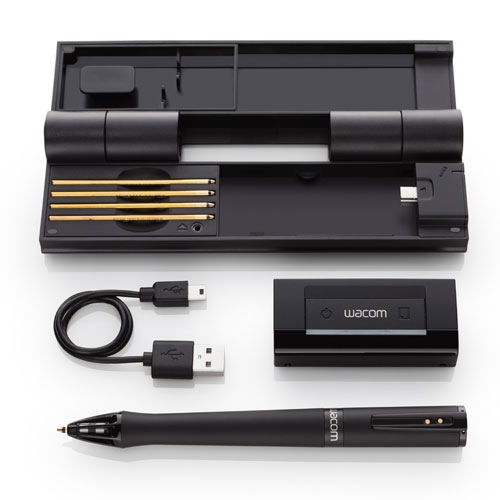
This past Christmas my wife surprised me with a really intriguing gift‚ Wacom’s new(ish) Inkling. It’s a pressure sensitive pen that can be used as a normal pen for sketching on a pad of paper. If the included receiver is clipped onto your paper, it will record all your strokes and play them back as either a Photoshop file or as vector artwork that can be edited in a program such as Illustrator.

The Inkling is charged through a mini USB cord (provided) and takes about 3 hours for a full charge and is good for about fifteen hours of drawing. The receiver also stores all the drawings and basically acts like a USB thumb drive when connected to your computer. I haven’t tested it out, but is is reported to hold hundreds of sketches and I have no reason to disbelieve it as the sketch files were rather small.

The pen itself is a standard (though rather fat) ballpoint pen. It comes with a few refills but uses standard ink cartridges so finding cheap refills shouldn’t be a problem.

I was pretty excited to get one of these. We tried to get one last year when they first came out, but they were very, very hard to come by.

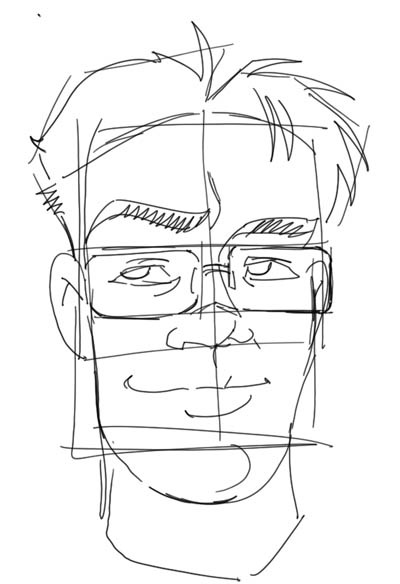
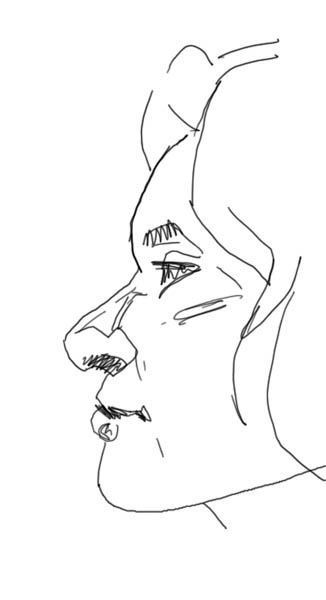
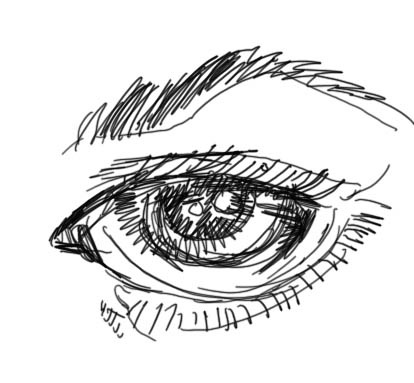
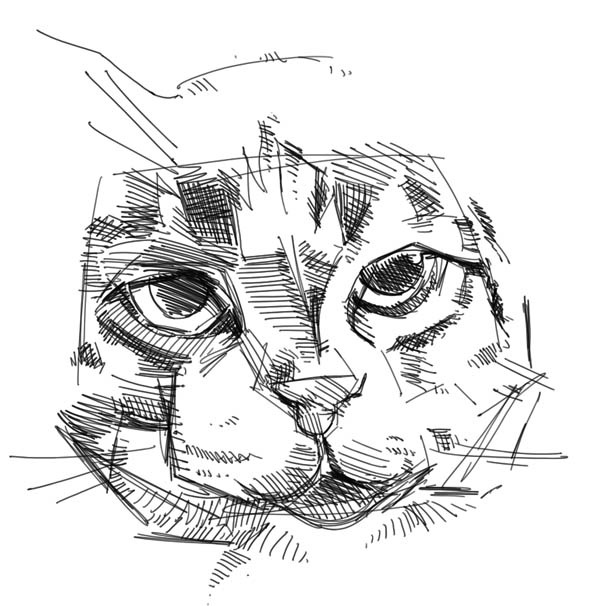
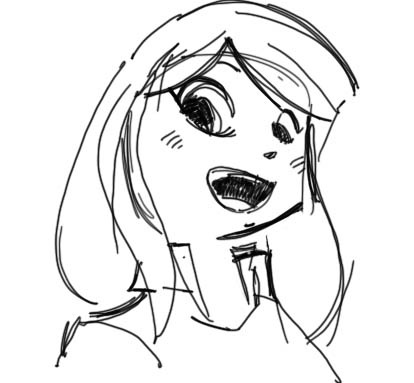
Below you’ll see a few tests I managed to find the time to make. I didn’t bother to show the original sketches for a side by side comparison. Quite a few people have already done so, and I want these sketches to stand by their own merit.

Another_Face Face Face_Profile Eye Cat Anime Face

My impressions.

Since it’s release, the Inkling has got some pretty mixed reviews. People either love it or hate it. I personally thinks it’s great, but it does have a few limitations.

The first one, is accuracy. The lines recorded can sometimes float around a bit. It gets worse the further away your line work is from the reciever. This is where most people complain. The Inkling is not a replacement for a Wacom tablet or Cintiq. It’s great for sketching out rough ideas on the go, but people who like very tight, clean lines and are hoping to skip the scanner altogether will be disappointed. People like myself, who like to quickly sketch out ideas and then refine them on the computer will find the Inkling is exactly what the doctor ordered.

I would imagine it would also do well for people who have a fairly loose and sketchy style of drawing.

A few things to watch out for.

As mentioned already, the recording of the line work is not super accurate. Drawing over the same line again and again may produce wildly variable results. Large, deliberate strokes seem to work best.

Also, the pen can go to sleep if not used right away, or if you take a long pause. Once this happens, you might wind up drawing strokes the receiver won’t pick up. A good indication of this is the top of the pen. It should be glowing slightly if the pen is awake. A light on the receiver should also be glowing every time you make a stroke. If you think the pen is asleep, just make certain you give a solid tap with the point of your pen onto your drawing surface. That should wake up the pen. I assume this is to conserve power.

And now for the bad.

The software that comes with the Inkling blows. Big time. The user interface is poorly thought out and hard to understand. Though, the ability to playback little videos of your drawing taking shape was cool. Good luck trying to find that feature though. And to make matters worse, for some reason, the software will automatically boot up on startup. I work on a Mac and it’s not a login item. Instead, it strews out all kinds of files hidden in various parts of the OS. I never could deactivate that “feature” and wound up deleting the software. The good news is Autodesk Sketchbook Pro can open up the files stored on he Inkling device. Even better, Sketch Book Pro has some customizable brushes and it is a simple matter of getting your sketches redrawn using these brushes. Which is more than I can say regarding the Photoshop export option the Inkling software has. All the samples you see in this post were done in Sketchbook Pro.

Before I deleted the offending software, I tried the vector output settings. I’ve never really been impressed with using freehand drawing movements with either a mouse or stylus for vector lines. Vectors are great for geometric shapes or objects with carefully plotted out points. Freehand or more organic shapes, not so much. Pixel based software always seems superior when it comes to that sort of work. The Inkling seems to follow this rule. The vector output was not quite as good as the bitmap (Photoshop) output.

So to recap, the Wacom Inkling is a great sketching on the go tool that can quickly get your sketches on the computer. The software that does all the magic needs lots of work on Wacom’s part to be useful. I’d recommend Autodesk’s software instead. It’s more flexible and has some very interesting drawing tools in its own right. Just make certain that in the program’s preferences you change the canvas size to something other than 100 DPI if you want to work with larger resolution files. The Inkling records everything at 600 DPI.

I definitely, plan on using this guy in my workflow. I can now sketch out my ideas anywhere I want (my specialty), and I can get then quickly into the computer. And depending on the particular style or effect I want, I can leave them exactly the way they are or refine the sketch with more precise drawing tools (the computer’s specialty).

And it also means more time with my wife and future family, and less in front of the computer! [Wacom Inkling Digital Sketch Pen]

A 3D Printed Planter

Planter

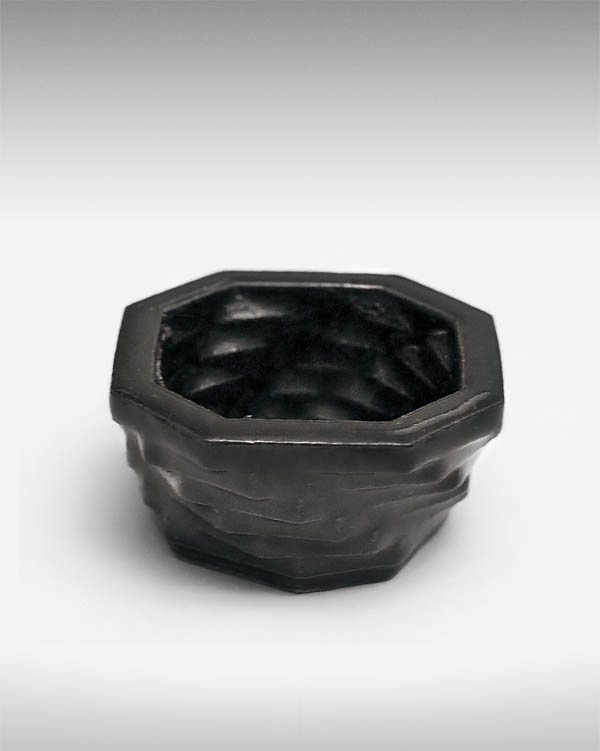
Its a very small bonsai tree planter. I made it for my Dad as a Christmas present. For a few years now my Dad has been a pretty active member of the local Bonsai Society. Even made the paper a few months back.

This was printed out in a ceramic material. Looks pretty sharp too. Hopefully, I will be able to post a picture of this little guy with a bonsai tree in it.

Even though I had a bonsai planter in mind it could make a nice expresso cup or nick-nack holder. This can now be found over at Shapeways.

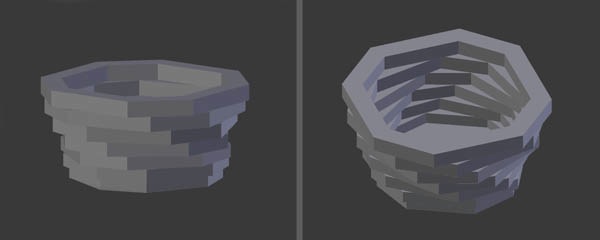
Some screen shots showing the planter in different positions.

Some screen shots showing the planter in different positions.